iPhone 5c and iPhone 5s

iPhone 5c, iPhone 5s: Connecting up the dots in Apple's plans
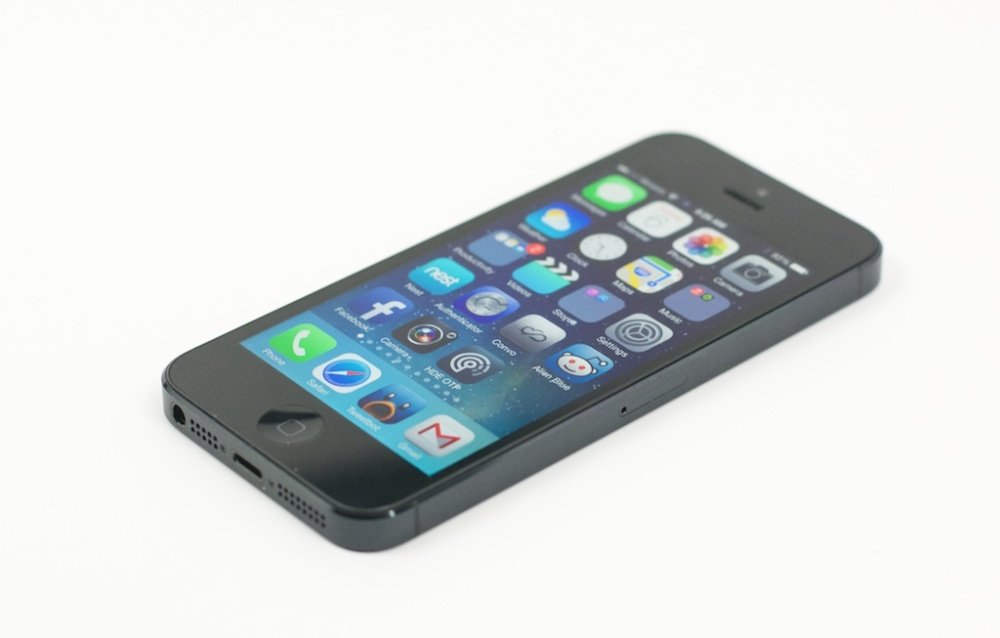
 

With Apple expected to launch new hardware next month, the rumour frenzy is building, but by now the speculation is coalescing into a comprehensible and even believable pattern: that Apple is likely to unveil two iPhones at an event in September: one premium model (thought to be called the iPhone 5s) and an economy sidekick (the iPhone 5c). It may even throw in an unexpected bonus by adding gold to its range of device colours.

But whatever Apple actually unveils, it will have to deal with a shifting smartphone landscape, marked by growing competition and fresh challenges. Here are some of the priorities that Apple needs to tackle — regardless of what colour its next handset turns out to be.

Turning dumbphones into iPhone fans

It may come as a surprise to those of us inside the high-tech filter bubble, but there are still some people out there who don't have a smartphone. In fact, there are quite a few, even in the US and western Europe (and plenty, plenty more in emerging markets). Persuading them that now is the time to make the jump from feature phone to smartphone, and chose Apple when they do, must be a top priority for Apple.

But it's not going to be easy: in a survey commissioned by Fortune, Samsung was found to be attracting more first-time smartphone buyers upgrading from feature phones (37 percent) than Apple (26 percent). An entry-level iPhone model that can trade on the cachet of Apple's premium brand could certainly help here, especially in developing markets.  

Taking on Android, and defending the iOS app ecosystem

Android phones continue to utterly dominate the smartphone market: Android increased its lead to 79 per cent of the market in the second quarter of this year (up from 64.2 percent in the second quarter of 2012), according to data from analyst Gartner, while iOS held a 14 percent share. It's a tough fight — Apple's family of (very similar) handsets versus pretty much the rest of the mobile industry.

And what of apps? While Apple users may spend more on their apps, Android users download on average the same amount per device, per month — and there are far more Android users out there. That means Android is becoming a more attractive development platform than it has been previously, analyst Benedict Evans points out. "This is a major strategic threat for Apple. A key selling point for the iPhone (though not the only one) is that the best apps are on iPhone and are on iPhone first," Evans writes on his website
.
His answer: a cheaper iPhone to push up market share and protect the broader app ecosystem.

Laying the foundations for the next big thing

While it looks like the Samsung Galaxy Gear will be the first of the new generation of smartwatches to hit the market, there has been the constant tick-tock of leaks and rumours that suggest an iWatch is on its way.

But apart from the 'quantified self' fans, there's not a clear demand for smartwatches (or Google Glass either) yet. That means Apple needs to start laying the foundations for wearable devices and explaining why anyone ought to care.

Elsewhere, there's plenty of speculation that Apple will finally add the long-expected biometrics to its next iPhone. As my ZDNet colleage Jason O'Grady points out, adding biometrics could (assuming the implementation is decent) open the way for a whole new range of mobile payments applications.

Stop the average selling price slide

But while Apple's sales have continued to grow, the company has faced a significant drop in the average selling price (ASP) of its smartphones: despite the iPhone 5 being the most popular model, its ASP declined to the lowest figure registered by Apple since the iPhone's launch in 2007, thanks to strong sales of the iPhone 4, according to analysts Gartner.


The declining ASP suggests a need for a new flagship model, but introducing a new lower-priced model alongside could risk even greater cannibalization than is happening with the iPhone 4. Gartner analyst Anshul Gupta has warned: "Despite being seen as the less expensive sibling of the flagship product, it would represent a new device with the hype of the marketing associated with it." Launching a premium model and an economy handset could reduce the risk, but Apple has to get the balance between the two right.

Regaining momentum and defeating iPhone fatigue

It's incredibly hard to deliver major innovations in the smartphone realm, but following the underwhelming iPhone 5 launch, Apple needs to come up with something better than a gold iPhone to regain its momentum.

And much of its competition are currently quite invigorated: Samsung has done a good job with layering additional services on top of Android on the S4, the Motorola Moto X has some interesting new ideas and even BlackBerry's BlackBerry 10 operating system looks surprisingly elegant: Apple needs to leapfrog all of these. That iOS 7 has dumped the tired skeuomorphics of previous iterations suggests a step in the right direction.

The tablets of IFA 2013 LG G Pad 8.3

LG G Pad 8.3

LG hasn't made a big splash in tablets to date, but the Korean electronics giant hopes to change that with the G Pad 8.3, a rival to both the Apple iPad Mini and Google Nexus 7. Its screen size (8.3 inches) is a touch larger than the iPad Mini, while its 1,920x1,200 resolution is the same as the Nexus 7 (which packs those pixels into a smaller 7-inch display). 

It doesn't come with Android 4.3 like Google's latest (relying on 4.2.2 instead), but offers its own QPair feature that lets you sync your Android phone to the G Pad via Bluetooth. The tablet can then show you texts and calls from the phone. No firm release date has been announced, nor has LG said if the G Pad will reach North America or just be available to the rest of the world.

HP EliteBook Revolve 810 first impressions

HP EliteBook Revolve 810 first impressions: Solid convertible notebook

HP has long served up good laptops for the enterprise and the 11.6-inch EliteBook Revolve is a highly portable model for the business professional. Its styling is reminiscent of the convertible notebooks of old with a screen that swivels around to form a touch tablet.  

CNET Reviews: ThinkPad Yoga; IdeaPad Yoga 2 | Larry Seltzer: Windows 8 Hardware 2.0
Closed
When you tap the closed lid of the Revolve it feels like cheap plastic but in reality the laptop meets the MIL specifications for ruggedness. The construction is durable yet the laptop only weighs in at just over three pounds to keep things light. The 11.6-inch screen means the Revolve is only slightly bigger than the industry standard for size, the MacBook Air.  
Hardware specifications as reviewed
  • CPU: Intel Core i5 (not Haswell), 1.9GHz
  • Memory: 4GB
  • Storage: 128GB (SSD)
  • OS: Windows 8
  • Display: 11.6-inch (1366x768) 
  • Networking: Intel 802.11a/b/g/n + Bluetooth
  • Ports: 2 USB 3.0; DisplayPort; headphone/microphone combo; power; docking connector; RJ-45
  • Slot: microSD
  • Camera: 720p webcam
  • Dimensions: 8.34 x 11.22 x 0.80 in (212 x 285 x 22.2 mm)
  • Weight: 3.08 lb (1.4 kg)
  • Battery: 6-cell Polymer Battery (44 WHr), up to 8 hours
  • Price: $1,449
Twisty screen
Swivel screen mid-swivel
The HP EliteBook Revolve is an old-school convertible notebook with a screen that swivels around to cover the keyboard. In this configuration it is a decent touch tablet (no pen support), although it's a bit heavy to use for extended periods.

Update: HP has informed me that the Revolve does support the pen but requires the purchase of a $49 pen from HP.

The keyboard is quite good which makes the Revolve a decent laptop with a touch screen to take full advantage of Windows 8. Windows is controlled handily with the touch screen, keyboard, and responsive touchpad. 

The display is not high resolution (1366x768) but it works well with the relatively small screen (11.6in). The viewing angles are reasonable and the swivel screen allows working in a variety of configurations. The hinge is easy to move the screen around and feels durable for long-term use.
The laptop has a good range of ports as expected in a business-class device. There are two USB 3.0 ports, a DisplayPort for working with projectors, and a jack for wired ethernet connections. Controls (power, radio on/off, and volume) are on the side of the unit to be accessible in both laptop and tablet modes.

There is an optional docking station ($199) for turning the Revolve into a desktop system when docked. This dock adds four USB ports, which means it serves as a hub of sorts. HP did not supply a docking station for this review.

The HP EliteBook Revolve has the quality one comes to expect from the company's business laptop line. It is expensive compared to consumer products ($1,449) but has a lot of enterprise security features included to meet corporate requirements.
Pros:
  • Rugged construction
  • Fast
  • User-replaceable battery
  • Convertible to tablet
Cons:
  • Expensive
  • Heavy for tablet use
Previously: Lenovo puts latest ThinkPads on diet, adds hot swappable batteries 
ThinkPad Power Bridge: Putting battery life in the hands of customers
Tablet mode
Tablet configuration

Ports
Ports (Left-Right): RJ-45; USB 3.0; Lock; DisplayPort; USB 3.0; Power
Side controls
Controls (Left-Right): Power, Radio on/off; Volume rocker

Features in Android 4.3 Jelly Bean

Top 5 Features in Android 4.3 Jelly Bean

Most people won't find a new version of Android to be as sexy as the latest Nexus 7 tablet, nor will they find it as entertaining as Google's answer to Apple TV, the Chromecast, but it will be bringing many new, strong features for both developers and end-users. Here's my list of the best of them.
Android-43
First, for Joe and Jane user:

1) Support for Restricted Profiles:
This feature is for users who have kids. Android has allowed you to have multiple users for some time now, but with this version you can finally have restricted profiles.

New from Google

  • Google unveils new Nexus 7, Jelly Bean
  • The new Nexus 7 vs. iPad mini
  • Google introduces Chromecast
What that means in English is you can keep junior out of your, ah, questionable apps or Web sites. Technically, it means that you can set up separate environments for each user with fine-grained restrictions in the apps that are available in those environments. According to Google, "Each restricted profile offers an isolated and secure space with its own local storage, home screens, widgets, and settings. Unlike with users, profiles are created from the tablet owner’s environment, based on the owner’s installed apps and system accounts. The owner controls which installed apps are enabled in the new profile, and access to the owner’s accounts is disabled by default."

While ideal for kids, restricted profiles are also ideal for guest users, kiosks, and point-of-sale (POS) devices.  This last point will give Android tablets a chance at the retail POS market that's recently been a strong point for iPads in stores.

2) OpenGL ES 3.0 for High-Performance Graphics:

I know what you're thinking. "How the heck will something called OpenGL ES 3.0 ever matter to an ordinary guy or gal with their smartphone or tablet?" Easy, they'll never know the tech but they'll enjoy the far higher quality graphics in their games and videos. To really get the most out of it, of course, you'll need the hardware to back it up. Still, I see much better video experiences ahead for high-end Android tablet users.

Today, this is only supported on the new Nexus 7, Nexus 4, and Nexus 10 devices. More will follow.
And, now for the developers. Of course, they'll be busy implementing the above into their programs but what I see as attracting their attention are the other following features.

3) Bluetooth Smart Ready support

You may not know it, but a whole new family of Bluetooth devices have been arriving. What makes them different from their predecessors is Bluetooth Smart Ready. These are designed as sensors. So, for example, one might check if all windows are locked, while another might measure your heart rate. You get the idea.

In Android 4.3, with application programming interface (API) support for Bluetooth Generic Attribute Profile (GATT) services, you can create Android apps that will support these devices. This represents a new and potentially very profitable market for Android developers and their Bluetooth hardware partners.

4) Notification Access

People love those notifications at the top of their Android display. I know I do. I'm constantly checking them. Until this new version of Android appeared developers couldn't access this data stream. Now they can. That is, if you, the user, allow them to.

What developers can do is register a notification listener service that, with your blessing, will receive all the data notifications when they're displayed in the status bar. Developers can then launch applications or services for a new class of "smart" apps.

5) Better Digital Rights Management (DRM)

OK, go ahead and boo. I know you want too. I hate DRM too. But, here's the painful truth, DRM is here to stay and we might as well try to make the best of it. That's exactly what Google has done with its new modular DRM framework. This will enable developers to more easily integrate DRM into their own streaming protocols such as MPEG Dynamic Adaptive Streaming over HTTP (DASH) (PDF Link).

Google has also added new media DRM framework APIs and improved the existing ones to provide  an integrated set of services for managing licensing and provisioning, accessing low-level codecs, and decoding encrypted media data.

The net effect of these changes is it will make DRM easier to manage and it should make video streams with DRM, which are pretty much all of them these days, look and play better. Like I said, Google is making the best of an annoying commercial video necessity.

Now, let's cut to the chase. When will you see it? Will you see it at all? Hugo Barra, vice president of Android product management said that starting July 24th, the original Nexus 7 and Nexus 10 tablets, and Google's Nexus 4 and Galaxy Nexus smartphones, will get the upgrades over the air. After that, the Google Play editions of the Galaxy S4 and the HTC One will get the upgrade.

As for everyone else... good question. As usual it will depend upon your phone's OEM and your carrier. If you can't stand to wait, possibly forever, for them, you should start looking into alternative Android Jelly Bean ROMs such as Cynaogenmod. I have no doubt they'll be porting Android 4.3 as fast as they can to a wide variety of Android devices.

Galaxy Note 8.0

Galaxy Note 8.0: Still the best small tablet


When the Samsung Galaxy Note 8.0 arrived a couple of months ago the value over the iPad mini was readily apparent. In addition to rivaling the size of the super-thin little iPad, the Note 8.0 has two features the former lacks. After two months of heavy use of the Galaxy Note 8.0, the value of the tablet is still very good.

Google recently launched the new Nexus 7, a nice tablet at a decent price. The refreshed model has good hardware running the newest version of the Android OS. While the new Nexus 7 is a solid entry into the tablet space, it doesn't have anything to knock the Note 8.0 off its high pedestal.

Hardware specs:

  • Processor: Samsung Exynos 4412, 1.6GHz quad-core
  • Display: 8-inch, 1280x800, 189 ppi, touch + pen digitizer
  • Memory: 2GB
  • Storage: 16GB, microSD up to 64GB
  • Cameras: Front- 1.3MP, Back- 5MP
  • OS: Android 4.1 (Jelly Bean)
  • Battery: 4,600 mAh
  • Connectivity: wi-fi a/b/g/n, 2.4 and 5 GHz
  • Dimensions: 210.8x135.9x7.95 mm, 8.29x5.35x0.31 inches; 340g, 0.74lb
While the hardware inside the Note 8.0 isn't as fast as that in the Nexus 7, pefrormance of the former is very snappy. The processor in the Note is more than enough to handle anything you need to do on the tablet. Scrolling is smooth, video plays well, and it handles multitasking with ease.
Multiview
 
Multiview on Note 8.0 -- Image credit: James Kendrick/ZDNet
Google launched Android 4.3 with the Nexus 7, an advantage over the Note 8.0. Even so, Android 4.1 which is used on the Note 8.0 has been modified by Samsung to provide unique functionality. The multiview feature that allows running two apps side-by-side on the display (see image above), is a powerful feature. It makes it possible to keep an eye on a running app on the left while working in another app displaying on the right pane.

Smart stay is another feature that uses the front camera to check if the user is looking at the screen. As long as it "sees" the user looking it prevents the display from dimming and shutting off. This feature is available on certain Samsung smartphones, too and is one of the best utilities on mobile devices.

The Note 8.0 has something not found on other small tablets, the S Pen. Taking handwritten notes on the fly is a great feature. Samsung has included special apps to leverage using the pen. These include a note app and a planner app that make using the pen a nice benefit over the competition. The pen can be used to write in any app due to special support by Samsung. Anywhere you can use the onscreen keyboard in Android you can use the pen to write text instead.

HP ElitePad 900 Review

HP Elite-Pad 900 review
The majority of today's tablets are aimed at consumers or target the consumer/business crossover market. HP's 10.1-inch Atom-based ElitePad 900, by contrast, is aimed squarely at businesses. It runs Windows 8, has a good choice of accessories and is attractively priced starting at £623 (inc. VAT; £519 ex. VAT) for a model without mobile broadband.
hp-ep-900-1
HP's 10.1-inch Atom-based ElitePad 900 runs 32-bit Windows 8 Professional and comes in Wi-Fi-only or Wi-Fi plus mobile broadband versions, with either 32GB or 64GB of SSD storage. (Image: HP)

Design

With its black screen bezel and silver outer rim, the ElitePad 900 has a very familiar appearance: at first glance, from a distance, you could easily mistake it for an iPad. Look closely and you'll spot the differences, though. The Windows button beneath the screen is an obviously giveaway, while the device's slightly angled short edges, which make the silver piping seem overly thick, aren't particularly easy on the eye. Even the rounded corners manage to jar the eye as the silver piping twists from being angled on the short edges to flat on the long edges. None of these design niggles are deal-breakers for us, but HP could have crafted a sleeker look.

Still, the ElitePad 900 is comfortable to hold. It has a starting weight of 630g (rising slightly if the mobile broadband module is added) and is admirably thin at 9.2mm, which makes it feel particularly good in the hand.

The back is mostly silver and has a metal-look finish that helps keep the ElitePad 900 cool to the touch. It might also be prone to scratches though.
hp-ep-900-back
The ElitePad 900's main rear camera is an 8-megapixel unit. The touch zone for NFC (Near Field Communications) is indicated by an icon. (Image: HP)
Buttons and connectors ranged around the edges include a volume rocker on the left short edge; mirroring its position on the right is a hinged cover which you release via a pinhole to reveal microSD card and microSIM slots. The top edge houses the headphone jack, the main power button and a toggle switch that switches automatic screen rotation on and off. The system's dual internal microphones also sit in this upper area.
On the back is an 8-megapixel camera with its own LED flash, while the front camera has a 2 megapixel resolution. Both are capable of shooting 1080p video.

The bottom edge of the chassis houses a pair of stereo speakers and, in the middle, HP's proprietary charging connector. The sizeable two-piece AC adapter with a fixed cable will be annoying to have to carry around — but carry it you must, if you want to keep the battery topped up.
hp-eb-900-tb
Top and bottom views of the 9.2mm-thick ElitePad 900. The charging connector is a proprietary unit. (Images: HP)
The ElitePad 900's 10.1-inch screen has a resolution of 1,280 by 800 pixels, or 149 pixels per inch (ppi). This is a fairly ordinary resolution compared to the 4th-generation iPad's 264ppi (9.7in./2,048-by-1,536-pixel) display, for example, or the 300ppi (10.05in./2,560-by-1,600-pixel) Google Nexus 10. The ElitePad's aspect ratio of 16:10 might appeal to business users who do a lot of spreadsheet-related work, although at this resolution text generated in classic Windows mode can be painfully small to read.

Features

Running Windows 8 Professional, the HP ElitePad 900 is suitable for use as a business tool in both 'modern' and 'desktop' modes. The modern (Metro) interface looks great, but you may need to squint to see detail when working in desktop ('classic' Windows) mode.

However, you're not getting business-notebook-grade specifications here. The Windows 8 version is 32-bit rather than 64-bit, while the processor is a 1.8GHz Intel Atom Z2760 with 2GB of RAM. This will be underpowered for many business users — think 'netbook' rather than notebook. If all you do is a bit of web browsing, produce simple documents, check email and create straightforward spreadsheets, then you'll be OK. But if your requirements include more processor-intensive tasks you should look elsewhere.
Wi-Fi (802.11a/b/g/n) is included as standard, with mobile broadband (HSPA+) available in two of the four available models. There are two models with 32GB of eMMC SSD storage and two with 64GB. To get the maximum storage and mobile broadband, the current asking price at HP's UK website is £713 (inc. VAT; £594 ex. VAT).

One thing you do get here is NFC (Near Field Communications). The tapping area is helpfully marked on the back of the chassis so you can find it easily. How much this matters will depend on how your business values NFC, of course; we suspect that it's not a big draw for many firms at the moment.

To get the most out of the ElitePad 900 in the office, you'll almost certainly need to buy into the accessories ecosystem. This includes a keyboard that connects via Bluetooth, a stylus pen, a docking station and an 'expansion jacket'. HP sent us the dock and the jacket to evaluate.

The keyboard does not come in the form of a dock or have any way of attaching to the ElitePad 900, so you'll need to find a way of taking care of it in transit. Also, there's no housing for the stylus on the ElitePad 900 — as there is on, for example, Samsung's Galaxy Note range. So you'll have to find a way to stow this safely too.

The expansion jacket can accommodate a second battery for extended life and costs £78 (inc. VAT) without the battery. It adds two USB 2.0 ports, a HDMI connector, an combo audio jack and an SD card slot. It's bulky and will add a fair bit of weight (260g without the battery) to your setup. The docking station (£94 inc. VAT) is small and exceptionally heavy at 670g. The weight means that it won't topple backwards when you prod the screen as with so many tablet docking units. It's not intended to be carried, but to sit on your desk, where it holds the ElitePad 900 at a good, but inflexible, viewing angle, adding HDMI and VGA connectors, four USB 2.0 ports, a combo audio jack and an RJ-45 Ethernet port. It also includes a passthrough power connector.

Performance

Given its specification, it's no surprise that the ElitePad 900's Windows Experience Index (WEI) is mediocre at 3.3 (out of 7.9). The WEI corresponds to the lowest component score, which went to Gaming Graphics (3D business and gaming graphics performance). The other component scores were 3.5 for Processor (Calculations per second), 3.6 for Graphics (desktop graphics performance), 4.6 for Memory (RAM Memory operations per second) and 5.5 for Primary hard disk (Disk data transfer rate).

The ElitePad 900's 2-cell 25Wh Li-polymer battery should deliver around nine to ten hours' life — although you'll get less with heavy use of mobile broadband and/or GPS, in particular. Add a second battery via the expansion jacket and you can double your uptime — albeit at the expense of considerable weight gain.

Conclusion

The HP ElitePad 900's combination of a basic Atom-based tablet and a range of optional extras is an expensive way to build a work-ready system. Without the extras, it's hampered as an office device by its limited connectivity and lack of a physical keyboard. We're much more drawn to touch-enabledWindows 8 notebooks like Lenovo's ThinkPad X1 Carbon Touch, or convertible designs like Dell's XPS 12.

iPhone 5C the first Apple product

iPhone 5C could be the first Apple product to use scratch-resistant Liquid-Metal

A report from Taiwan’s Apple Daily purports to show an assembled iPhone 5C, the low-cost iPhone rumored to be announced on September 10, surviving an informal pocket test with no visible scratches on its rear plastic shell. In it, an anonymous individual puts the 5C into a gallon Ziploc bag with coins, keys, screws, paper clips and, what appears to be a pocket flashlight, then closes and shakes the bag vigorously. 


After the shake test, the person drags the keys, screws and coins across the surface of the plastic shell in an attempt to scratch it. After putting the pink 5C through its paces, the reflection on the rear of the shell shows no visible scratches whatsoever, at least at the video's resolution. The implication is that Apple's may have used a new process to make the plastic extremely scratch-resistant.

Apple faced numerous complaints (and a class-action lawsuit) in 2005 because of how easily the original iPod nano's plastic surface sustained scratches. In August 2010 Apple acquired LiquidMetal and its new metallic/glass substance that has twice the strength of Titanium but the moldability of plastic. Then, in late 2010, Apple filed a patent application for "Nitriding Stainless Steel for Consumer Electronic Products" which resists scratches by placing a layer of nitride over a stainless steel exterior.

Hmmm...

Don't be surprised if the iPhone 5C case is fabricated from nitride-coated LiquidMetal.

The video also shows some precise measurements of the device. Measuring 24.55mm x 59.13mm x 8.98mm in the video, the iPhone 5C comes in at slightly larger than the iPhone 5.